Overview
What’s in the November 2025 update
This month is all about revenue per order and advance order control: a more helpful cart on the shop page, a simple upsell step before checkout, a new Deliveroo Express courier option and new tools to handle special menus and Christmas demand.
Together, these features make it easier to increase basket value, boost loyalty sign-ups and keep prep times realistic for catering, bakeries and busy festive services.
Ordering experience
Cart on the shop page
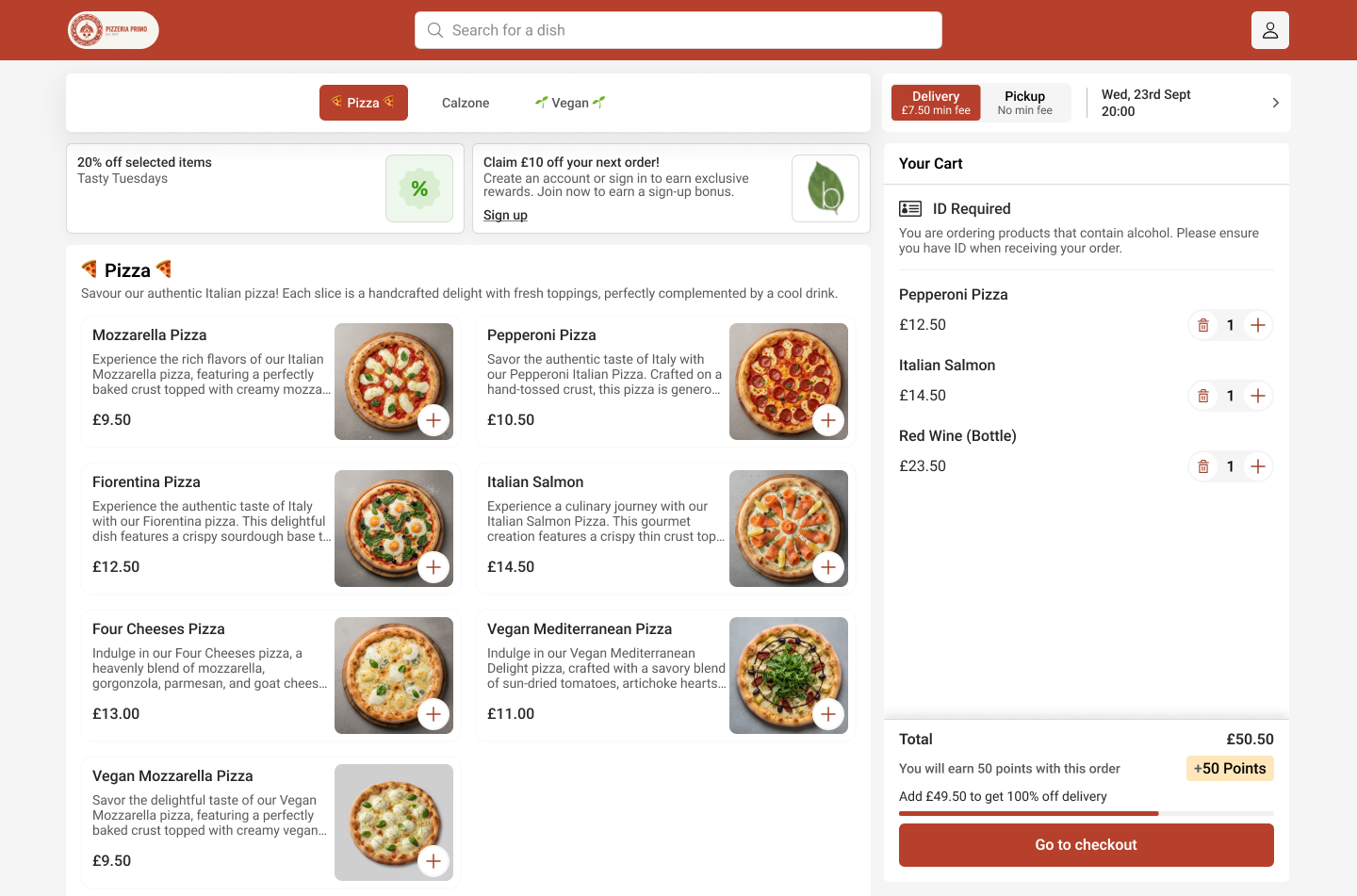
Your cart now stays visible as customers browse your shop. They can adjust quantities instantly – no extra clicks, no hassle.
Customers also see exactly how many Stamps or Points they’ll earn with each order. If they don’t have an account yet, we preview how much they could earn by creating one.
The impact: customers see rewards instantly – lifting sign-ups, basket value and repeat orders.
Revenue per order
Product upsell before checkout
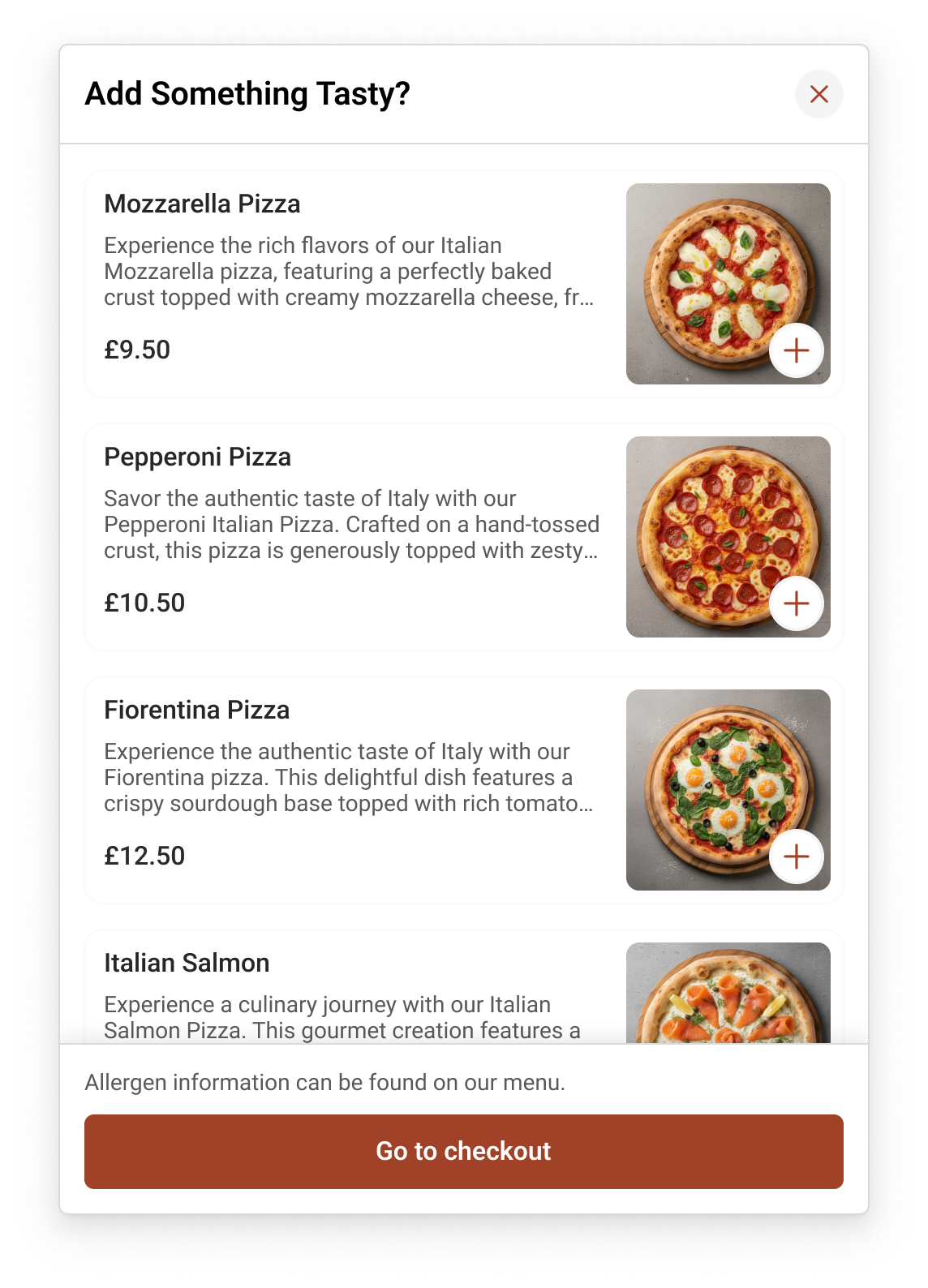
When customers hit checkout, Slerp now shows them up to five items they might want. One click to add – that’s it.
The upsell step appears at a natural moment in the journey, so it feels like a helpful suggestion rather than a hard sell.
The impact: more items per order – and it feels natural, not pushy.
Delivery & logistics
New Deliveroo Express integration
We’ve added Deliveroo Express to the Slerp courier fleet. Slerp is the first ordering platform to bring Deliveroo Express to the hospitality sector.
Deliveroo Express is already live and being progressively rolled out to partners.
The impact: more coverage and faster pickup times.
.png)
Advance orders & menus
New features for advance orders & special menus
Ready with your Christmas menu? These tools handle the scheduling so you don’t have to. Set menus to change by day or time and keep prep times realistic for different product categories.
Special availabilities
Use special availabilities to change menus by day or time. Weekend brunch items, Christmas specials, breakfast-only dishes – they appear and disappear automatically based on the rules you set.
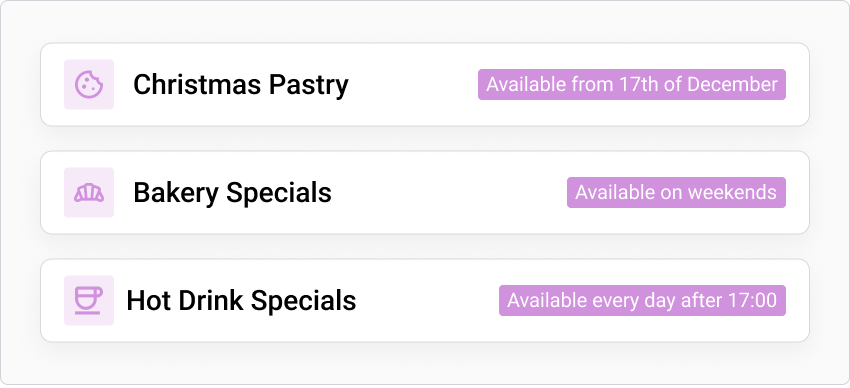
Need the full walkthrough? Check our step-by-step guide: how to set special availabilities .
Category cut-offs
Different items need different prep times. With category cut-offs, you can set notice periods by product category – for example, catering trays get 3 days’ notice while regular pastries get 1 day.
That way, large orders are locked in early while everyday items stay flexible.
The impact: realistic prep times, smoother production and fewer last-minute scrambles.
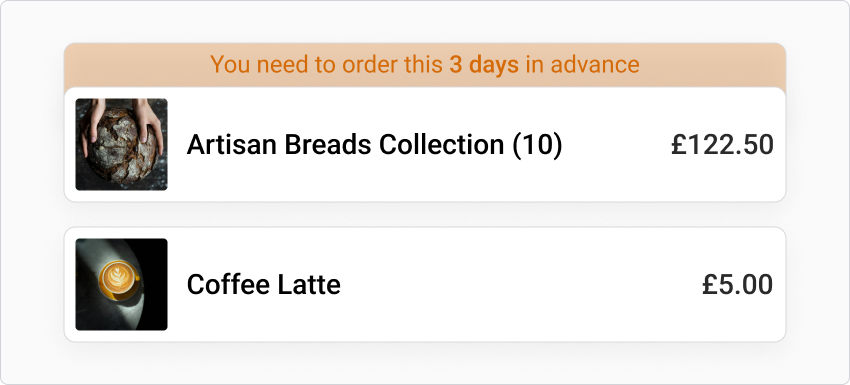
Learn more in our support article: how to set category cut-offs .
At a glance
November 2025 release highlights
- Ordering UX Always-visible cart on the shop page with instant quantity edits
- Loyalty Live preview of Stamps & Points earnings on every order
- Revenue Smart upsell step before checkout with up to five suggested items
- Delivery New Deliveroo Express integration for more coverage & faster pickups
- Advance orders Special availabilities and category cut-offs for Christmas & catering menus

“Peak season is where the details matter. This release is designed to grow the value of every order while keeping advance orders, prep times and delivery running smoothly.”
Slerp product team