What it is
It’s a new slot near the top of your Google Business Profile. Use it to share timely updates like a lunch deal, live music, or bank holiday hours.
You can post inside Google, or link Instagram, Facebook, or X so updates sync in.

September 2025 • How-to Guide
A simple way to show live promos and events on your Google Business Profile. This is very important for UK hospitality — it boosts visibility in Search and can lead to more orders. Promos show under the label “This week” in the info block people see when they Google a local business.
It’s a new slot near the top of your Google Business Profile. Use it to share timely updates like a lunch deal, live music, or bank holiday hours.
You can post inside Google, or link Instagram, Facebook, or X so updates sync in.
Everyone in UK hospitality who has set up their Google Business Profile — restaurants, takeaways, bakeries, pizza shops, cafés, pubs, hotels. If you appear in local search, this is for you.
Tip: keep one offer per post. Short, specific, and current.
Add a good photo and one action (Order, Book, Call).
Daily special:
“Today: Chilli Paneer Wrap + Fries £8.50. 12–3pm. Order for pickup.”
Event:
“Live jazz this Saturday, 7–9pm. Book a table or order direct.”
Seasonal menu:
“Autumn Set Menu £25pp. Sun–Thu. See the dishes and order online.”
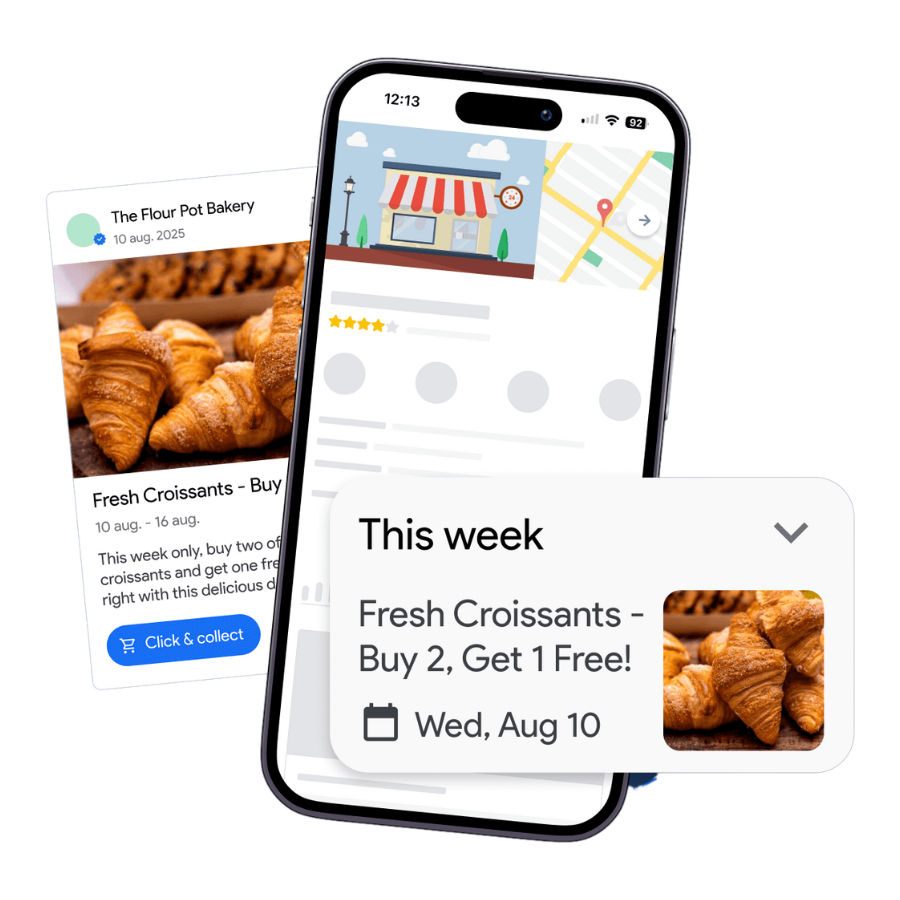
Weekly is fine. Post when you have a clear reason. Keep it short and honest.
Where does it show?
In Google Search on your profile under “This week.” It may also appear in Maps.
Can I just post on Instagram and have it show up?
Link your social profiles in your Business Profile. New posts can sync. Check the preview looks right.
Is this live for everyone?
Initial rollout is for single-location Food & Drink businesses in select countries. Timing can vary.