Product update · August 2026

What’s new in Slerp

Design your own shop page in Controls, product-level cut-offs are live, there’s more control for Lightspeed partners, and Just Eat couriers are now live across all your locations.

Now live

Recent releases

Four new launches, all live for partners today.

Checkout experience

Design your shop page, your wayLive

You can now choose how your shop page looks, right from Controls, with no need to ask us. Keep the classic list layout, or switch to a new image-led block layout where a large product photo leads each card, with a quick-add button underneath.

On desktop, the product view matches too, showing variants and modifiers as image cards. Where a product has no image, your brand colour fills the space, so everything stays clean and on-brand.

A shop page that puts your food, and your brand, front and centre.
Coming to your app, too

A home screen that’s just as much yoursRolling out

The same brand-first thinking is coming to your app. We’re rolling out a configurable app home screen to our first partner apps, built to put your brand front and centre from the very first tap, with one-tap reorder and your loyalty card up front. We’ll open it up to more partners as we go.
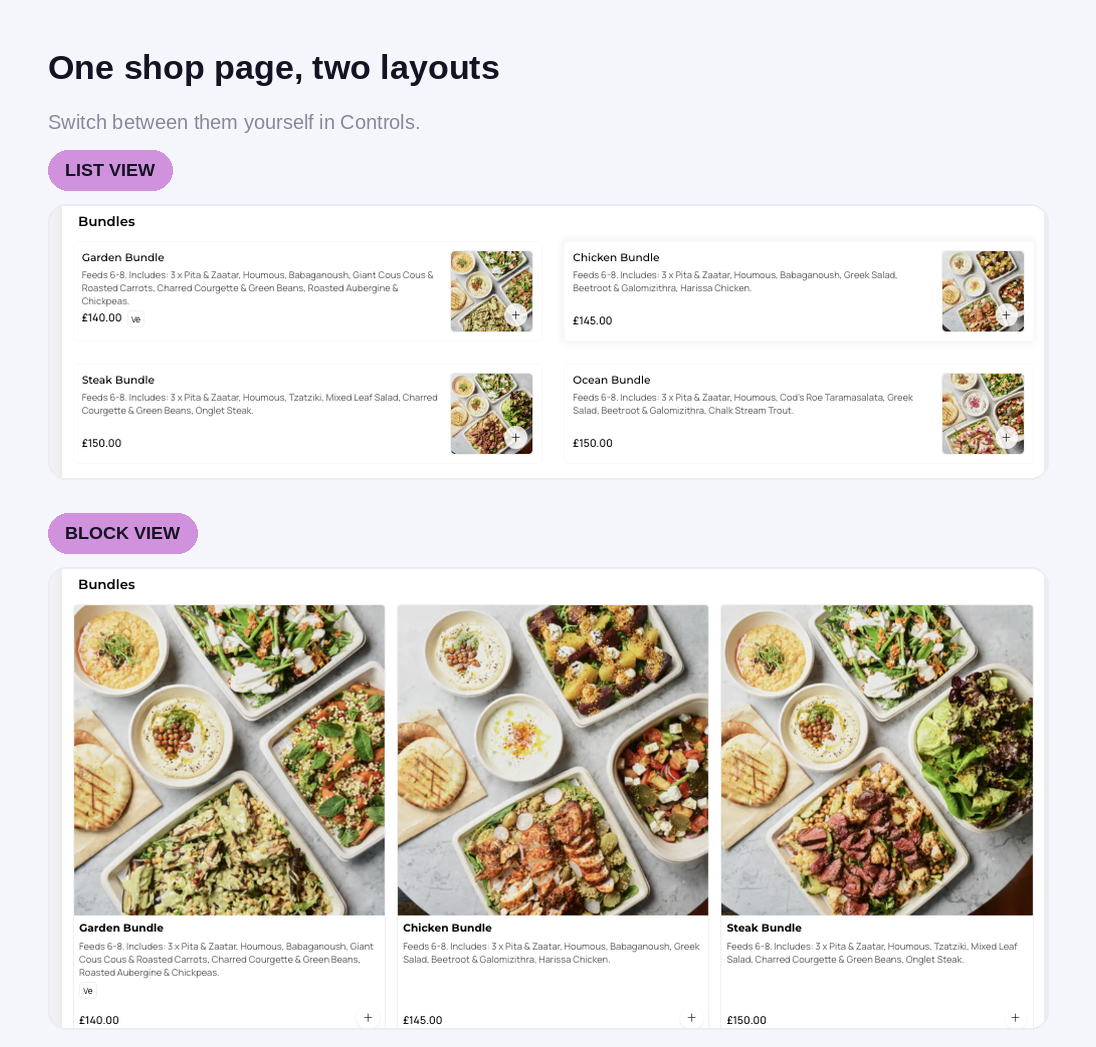
Choose your shop page layout in Controls: a compact list view or an image-led block view
Menu management

Product-level cut-off times are liveLive

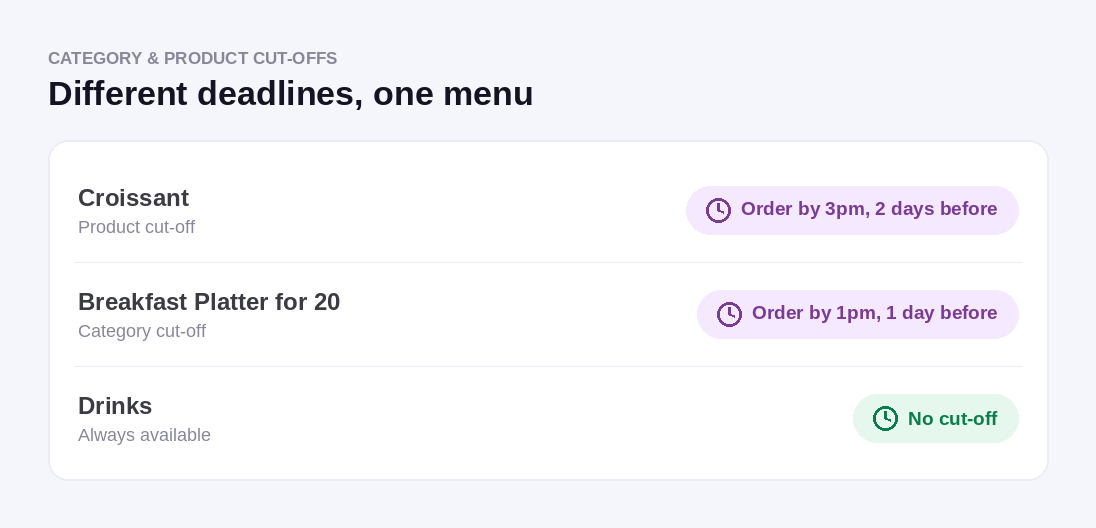
You can now set last order times per individual product, not just per category. In Controls, your cut-off rules let you choose a whole category or specific products within it, so you can hold a single dish to a tighter pre-order deadline while the rest of your menu keeps its own.

Precise pre-order control, right down to the dish, without reshuffling your menus.
Set cut-off times per product or per category: a croissant, a breakfast platter, and drinks with no cut-off
POS integrations

More control for Lightspeed partnersLive

Two upgrades if you run Lightspeed. You can now map separate menus to same-day and pre-order, so each order type pulls from the right one automatically. And you can set an order buffer per type, holding orders back and sending them to the till at pickup time minus your buffer, which gives the kitchen more breathing room on busy days.

You can also set up Lightspeed Loyalty yourself in Controls, entering your own credentials rather than waiting on our team, and connect a store for loyalty only without a full menu sync.

More menu control and a faster path to loyalty, all in your hands.
Delivery

Just Eat couriers are liveLive

There’s nothing for you to do. Slerp still automatically assigns, tracks and manages every delivery for you, exactly as it does today. Adding Just Eat simply widens the pool of drivers we can call on, so you get more coverage without changing anything in your setup or your day to day.

It also means Slerp is the only platform giving you the UK’s three largest courier networks, Deliveroo, Uber and Just Eat, from one place, all backed by live ops and end customer support on every order. Just Eat’s larger vehicle options also help with bigger catering orders outside London.

More courier coverage, with nothing extra for you to manage.
One thing to check

Each location needs a valid phone number

Just Eat couriers require a real contact number on every location. If any of your locations still has a placeholder or dummy number in Controls, please update it to a valid one so that site can use Just Eat couriers. That’s the only requirement.

Slerp Dispatch courier integrations, including Deliveroo, Uber and Just Eat
A useful one you might not be using

In case you missed it

Delivery

Book a courier any time with Dispatch self-serve

Did you know you can book a Slerp Dispatch courier without a Slerp order attached? It’s perfect for the deliveries that don’t come through your online shop: an order taken over the phone or by email, a stock transfer between your sites, or a quick ad-hoc errand. Same managed couriers, same tracking, whenever you need a driver.

An on-demand courier for anything, not just your online orders.
Want to see it all in action?

Get a walkthrough of
everything that’s new

Have a chat with our team and we’ll show you how the latest features fit your setup, plus how to get the most out of them.

Talk to our team → No commitment · Free walkthrough