














All product updates

What’s new in Slerp, August 2025

Five quality-of-life improvements across your ordering journey, to manage orders in one place, cut down on errors and give guests a clearer experience from checkout to delivery.

This month’s releases

Five updates that save your team time and keep guests informed.

New: 3S POS integration

LiveIntegrations

3S POS now connects with Slerp, so online orders are sent into 3S POS automatically, without manual re-entry.

Your team can manage in-store and online orders together in one system. No double handling, fewer mistakes.

Orders in one place for restaurants using 3S POS, saving time and reducing errors.
Smoother, faster checkout

LiveCheckout

We’ve refined the Slerp checkout to be faster, clearer and less error-prone, so guests can complete their order without friction.

Details collapse once completed for a cleaner, more focused flow. Forms are easier to tab through for quicker keyboard input, and inputs are consistent across the page.

A faster, smoother checkout that reduces drop-off and mistakes.

Better communication during deliveries

LiveDelivery

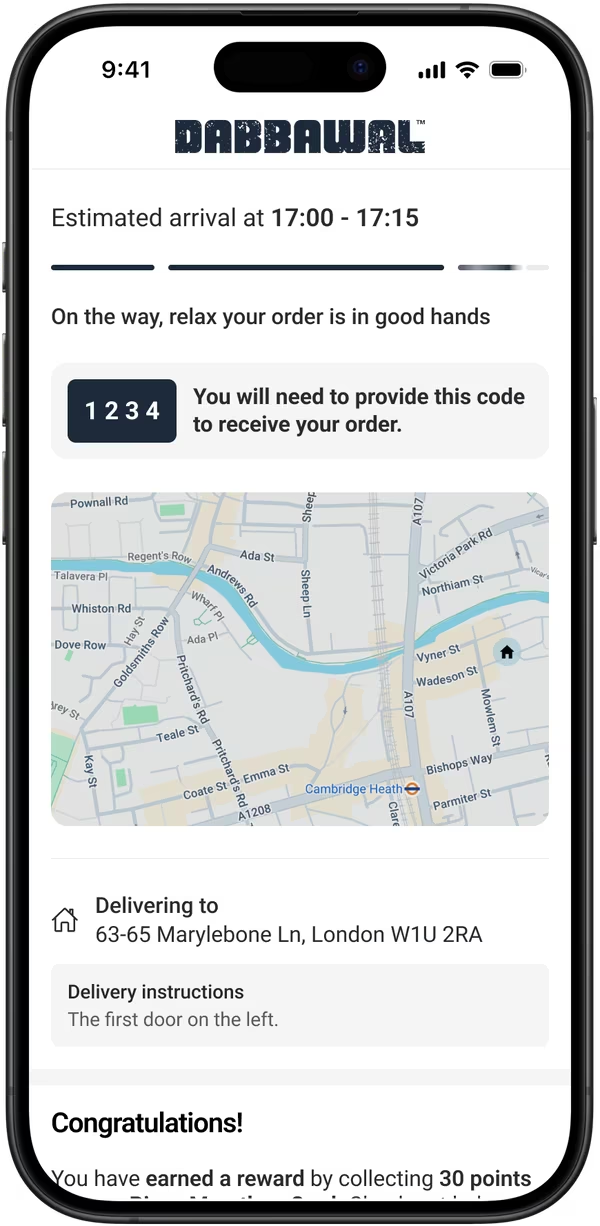
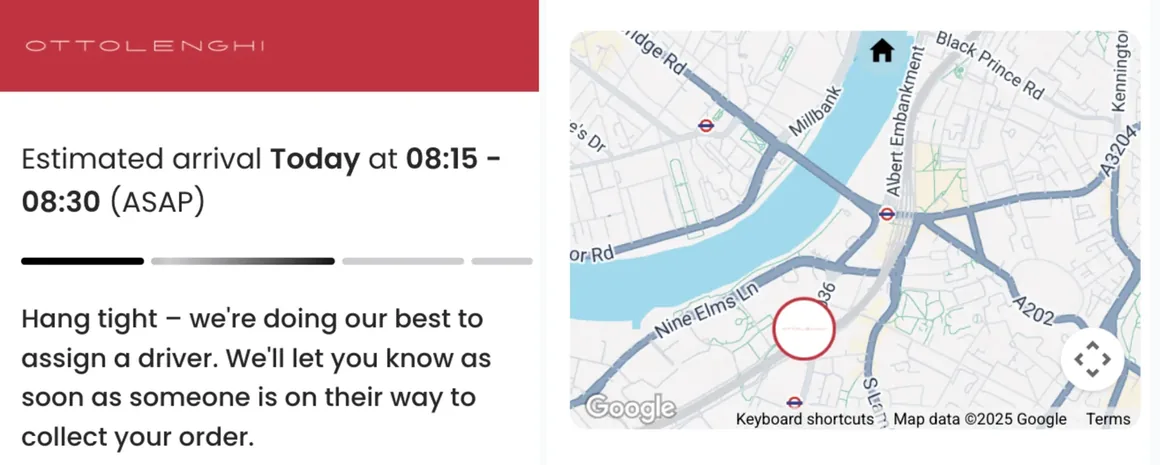
For Slerp Courier Partner orders, guests now get clearer information if their order hasn’t yet been assigned a driver.

An extra message appears on the confirmation page, alongside the usual SMS and Dispatch tracker, 10 minutes after pickup time if there’s still no driver. It reassures customers and sets expectations.

Fewer “where’s my order?” calls and less pressure on your team.

An Ottolenghi order confirmation page telling the customer a driver is being assigned, beside a map of the delivery

Clearer payout reconciliation for franchise partners

LiveReporting

For partners using Franchise Payments, the report now makes it clear who gets what on every transaction.

Net Transaction Earnings shows the amount paid out after Slerp application fees, and split columns for Franchisor (Main Partner) and Franchisee (Location) make each share easy to see.

Less back-and-forth and faster reconciliation per transaction.

Map on the Browse page

LiveStore discovery

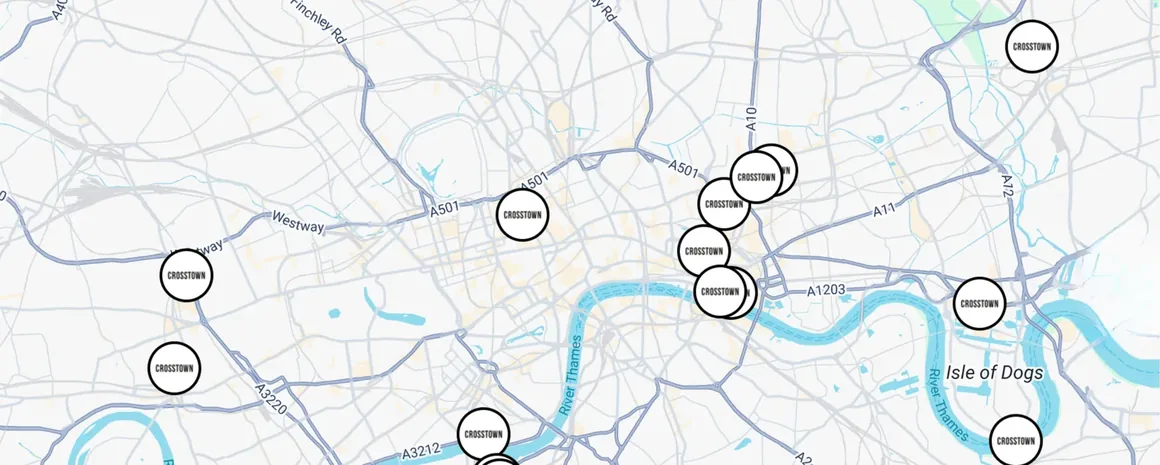
A map on the Browse page on desktop makes it easier for guests to find the right site at a glance.

The map syncs with your store list, so guests can quickly see which location is closest and click straight through to order.

Faster store discovery, fewer drop-offs and more orders going to the right location.

A map of London on the Browse page, with a pin for each Crosstown location

Get a walkthrough of everything that’s new

Have a chat with our team and we’ll show you how the latest features fit your setup, plus how to get the most out of them.

No commitment · Free walkthrough